RACKMOUNT
KEYBOARD DRAWER / KVM SWITCH /KVM Extender :
Part # LCDK1041
/ CV-S101
CAT5
USB KVM Extender

|

LCDK1041 / CV-S101
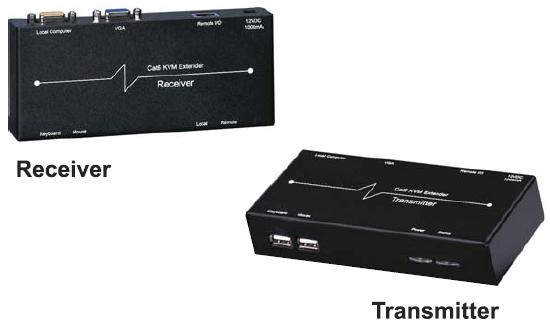
CAT.5 KVM Extender is an USB KVM Extender. It includes a
transmitter-receiver pair (S101-T/S101-R) that enables you to locate a PC in a
clean, secure area and access the PC from any convenient, remote
location. The remote user (keyboard, monitor, and mouse),
connected to the receiver, can be up to 1000 feet from the PC
using Category 5 UPT cable. In addition to the remote user, a
local user (keyboard, monitor, and mouse) can be connected to the
transmitter. Similarly, LCDK1041 / CV-101 can be used to extend
distances between KVM switches, user consoles, and connected
computers
|
Features :
•
Allows remote access of up to 1000 feet away via CAT.5,
CAT.5e, CAT. 6 UTP cables
• Dual console operation - control your system from either
the local or remote keyboards, mice, and monitors
• Additional dual version features
- Fully automatic KVM sharing on first-come first serve basis
- Displays video to both local/remote side simultaneously
• Compact desktop size
• Plug-n-Play - no software installation
• High video resolution - up to 1,600 x 1,200
• Compatible with Sun® Solaris™ and USB
server, as well as Microsoft®, Windows®, Linux®,
Unix® and Netware®.

Package Content : - S101-T transmitter x 1
- S101-R receiver x 1 - CA-2 3-in-1 2 feet cable (To PC)
x 1
- DC9V Power adapter (500mA) x 1
- |
|
Technical
Specification:
">
APPLICATIONS :
|
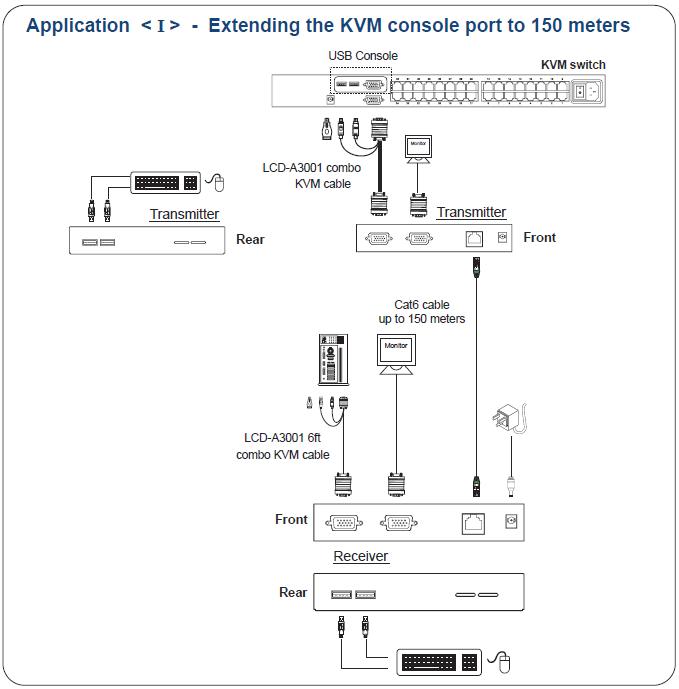
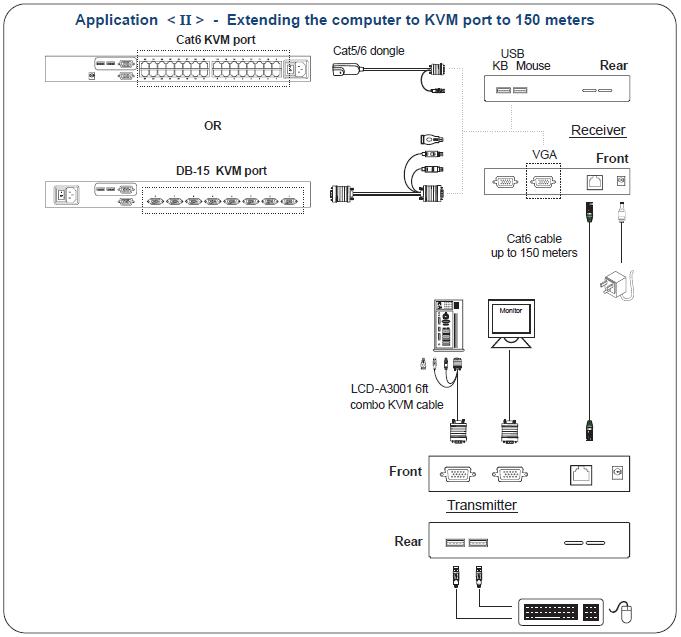
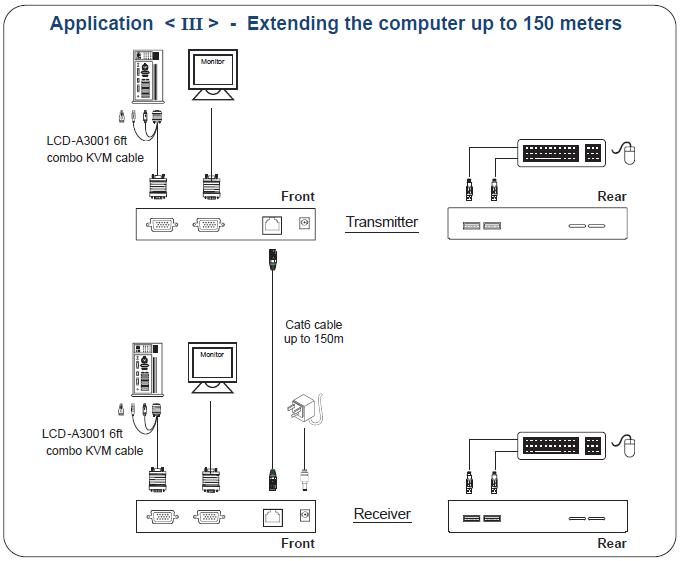
General Application
Before installation, it is recommended to
turn off all of peripherals and computers and follow the easy
procedures to install the unit:
 |
Before connecting to
the PC, make sure that the PC is powered off. |
 |
Connect S101-T
transmitter to PC, using included CA-2 3-in cable. |
 |
Connect S101-T
transmitter to S101-R receiver using standard Category 5 cable
with RJ-45 connectors up to 500 feet in length (resolutions up
to 1,280 x 1,024) or 100 feet in length (resolutions up to
1,600 x 1,200) |
 |
Plug the DC adapter
into the S101-R receiver. |
 |
Plug a keyboard, VGA
monitor, and PS/2 mouse into S101-R receiver (and S101-T
transmitter if desired) |
 |
Power in the PC and VGA
monitor and operate. |
|
 |
| |
|
Advanced
Application

|
|